What photo works best
To place you into a clip, the service needs one photo with a clearly visible face. The quality of that photo directly affects how convincing the result looks.
- Format: JPG or PNG.
- File size: up to 10 MB.
- Face front-on. Look roughly into the camera, without strong head turns or tilts.
- Good lighting. Even light, without hard shadows across half of the face.
- Face uncovered. No dark glasses, mask, or hair hiding the features.
- One person in the frame. If there are several faces in the photo, the service takes the first one detected — a portrait where you are alone works better.
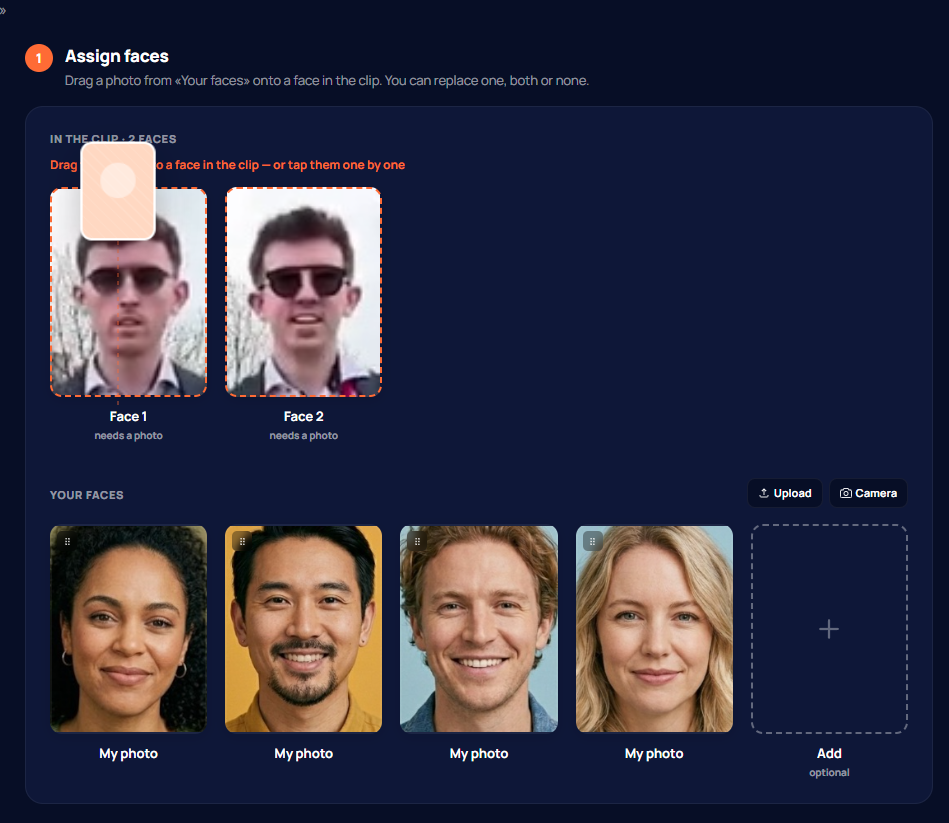
How to upload a face
There are two ways — both lead to the same place.
- On a clip page click «Try on any faces» — the next screen has a photo upload button.
- Or add faces in advance in your account, in the «Faces» section, so you can later pick them in one click.
Choose a file — the service automatically finds the face, crops it, and saves it. After that the face can be selected for any clip.
If the photo is not accepted
If you see the error «No face detected», the service could not find a face in the image. Usually this helps:
- pick a photo where the face is larger and looks into the camera;
- check the lighting — frames that are too dark or overexposed are recognised worse;
- make sure the face is not covered by a hand, glasses, or hair.
How many faces you can store
You can save up to 20 faces in your account. When the limit is reached, delete the ones you no longer need to add new ones. In a single clip you can use up to 4 faces at once — there is a separate article about that.
Whose face you may upload
CMEX.AI is an 18+ platform. You may upload only your own face or the face of a person who has consented to it. Uploading photos of minors or other people's faces without permission is prohibited.
What happens to the photo afterwards
Uploaded face photos are stored for 30 days from the date of last use, so you can quickly repeat a face-swap without re-uploading. After 30 days inactive photos are deleted automatically; you can delete any face manually at any time. Biometric data is not shared with third parties and is not used to train external models. See the «Data storage» article for details.