What you will need
To make your first video you need a CMEX.AI account (the platform is 18+) and a photo of your face. Most clips cost a few credits, but the catalogue also has free ones — handy for practising.
Step 1. Pick a clip
Open the catalogue on the home page, browse the clips, and click the one you like. The clip page opens with a try-on button.
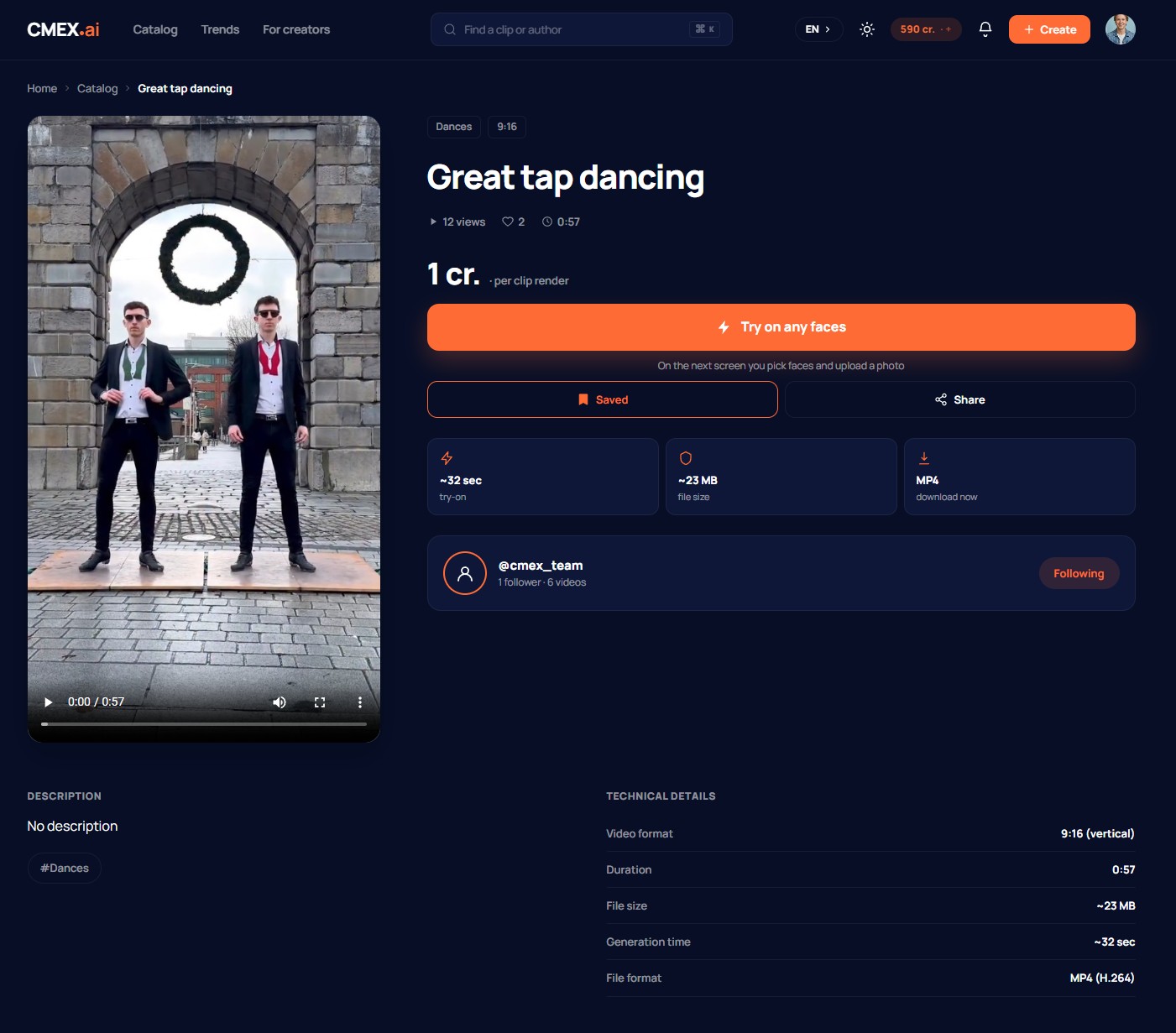
Step 2. Click «Try on any faces»
On the clip page click «Try on any faces». The try-on screen opens, where you specify a face.
Step 3. Upload a face
Upload a photo of your face or pick a previously saved one. The service detects the face on the photo automatically. For a convincing result, use a sharp front-on photo in good light — full requirements are in the article «Photo upload and requirements».
After uploading your face, just drag it onto the slot above, as shown in the animation when the page loads. You need to replace the faces in the video with your own.
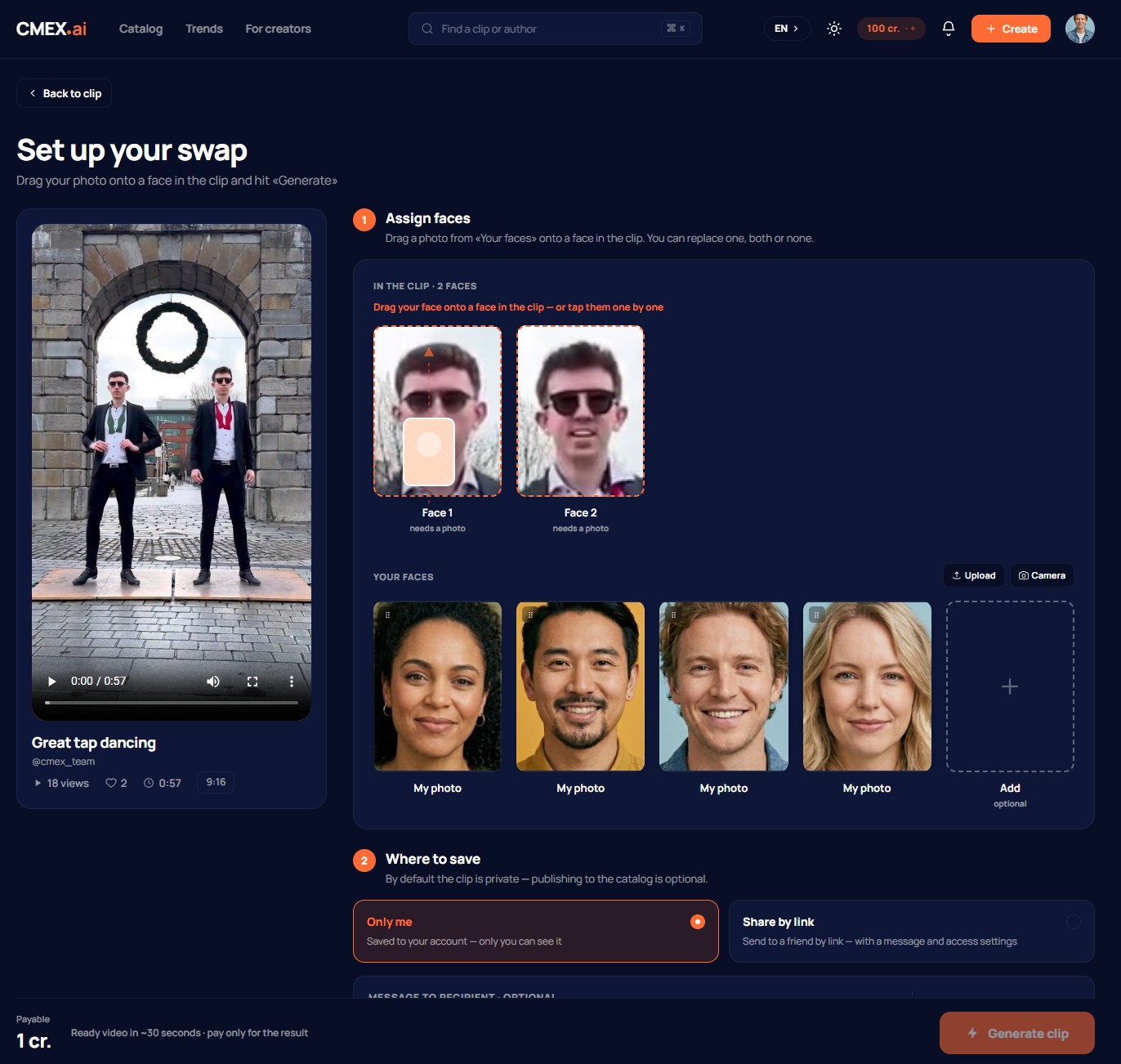
Step 4. Confirm and pay for the face-swap
Before it starts, the clip price in credits is shown. Confirm — and that number of credits is deducted from your balance. If the clip is free, nothing is deducted. Out of credits? Top up your balance (see the article «How to top up your balance»).
Step 5. Wait for the finished video
Creation of the clip begins — it usually takes a few minutes. The progress is shown on the screen. You do not have to keep the page open: when the clip is ready, you get a notification, and the clip itself appears in your face-swap history. For more on statuses, see the article «How long a render takes».
Step 6. Download or share
The finished video can be downloaded as MP4 or shared via a short link — friends can open it even without registration. Done, your first video is created!
If you did not like the result, you can make a new face-swap — with a different photo or a different clip.