How to top up your balance
- Open the top-up page — through your account or the credit balance button.
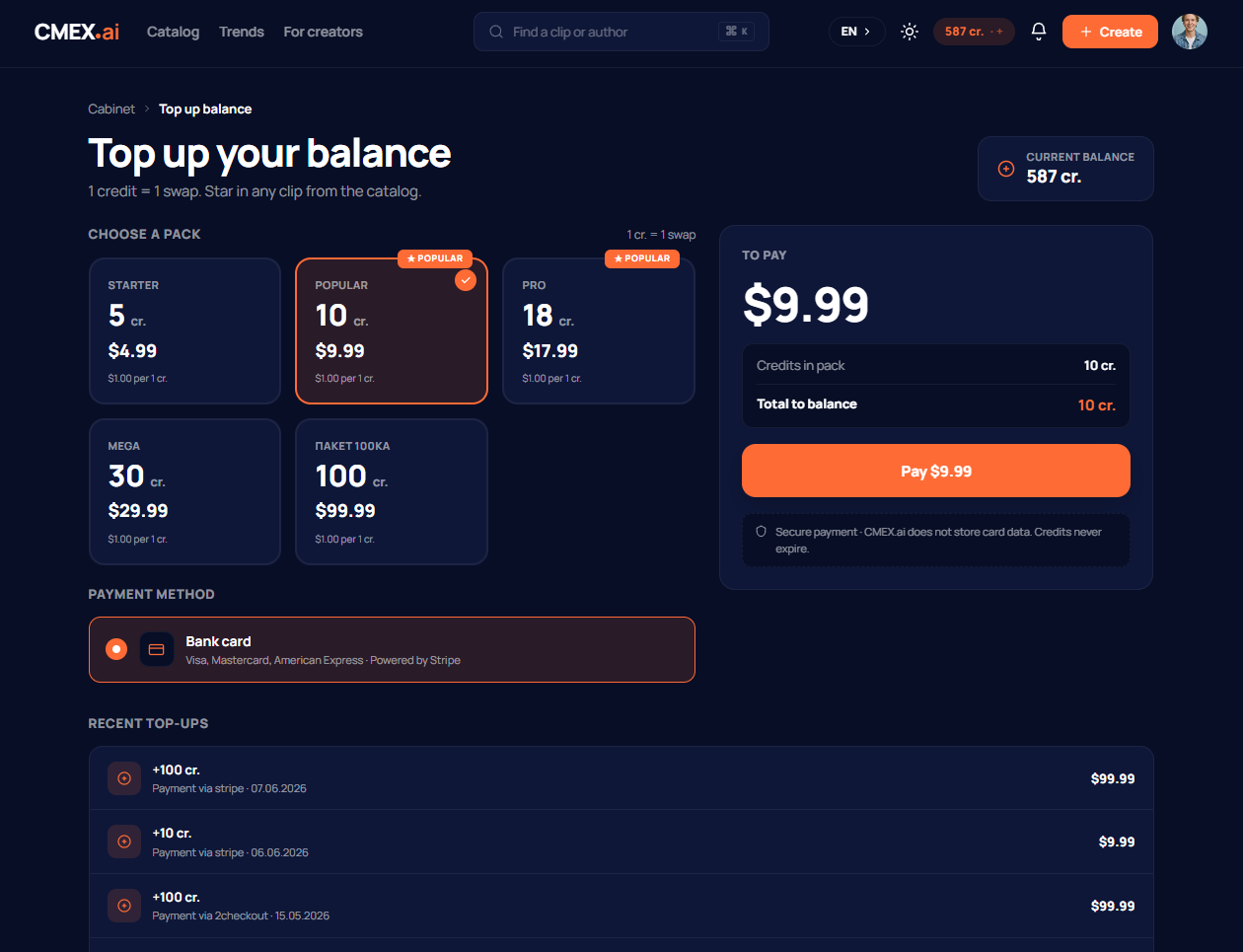
- Choose a suitable credit pack.
- Choose payment by bank card and click the pay button.
- You are redirected to a secure payment page. Enter your card details and confirm the payment.
- After a successful payment the credits are added automatically to your balance — you can start making face-swaps right away.
Which cards are accepted
Payment goes through Stripe — a trusted international payment service. Visa, Mastercard, and American Express bank cards are accepted. Your card details are handled by Stripe on its secure page; CMEX.AI does not store card data.
When credits are added
Credits usually appear on your balance right after payment. If the payment went through but the balance has not updated within a few minutes, refresh the page and check the top-up history in your account.
If the payment fails
If a payment is declined, check that the card has enough funds and allows online payments, and try again. If the money was charged but the credits were not added, write to support@cmex.ai with the subject «Refund», giving the date and amount of the payment. See the article «Refunds» for more.
Do purchased credits expire
No. Credits have no expiry date — you can spend them whenever you like.